5 Hidden Features of the Philips Hue Essential You Must Know About
Introduction
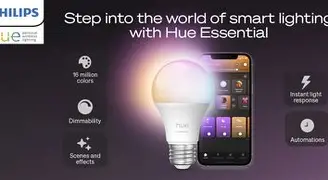
Philips Hue Essential occupies a familiar place in the smart lighting market: an accessible, ecosystem-friendly entry that blends ease of use with the broader Hue platform's capabilities. To many buyers, it looks like a straightforward smart bulb or fixture, but beneath the surface are several features that significantly affect day-to-day use, automation flexibility, and long-term satisfaction. This article uncovers five lesser-known capabilities of the Philips Hue Essential, explains how they matter in real-world situations, and offers practical guidance for shoppers weighing the trade-offs between price, control, and ecosystem depth.
Five Hidden Features and How to Use Them
1. Customizable Power‑On Behavior (Prevent Surprise Colors)
One annoyance with smart color bulbs is the unexpected hue after a power interruption: a living room lamp that always returns to vivid purple after a circuit trip is hardly desirable. Philips Hue Essential, when connected to the Hue Bridge, offers a configurable Power‑On Behavior setting in the Hue app. This lets the bulb remember its last state, return to a fixed white temperature and brightness, or default to a specific scene.
Real‑world benefit: for renters or homeowners with older wiring or frequent appliance power cycles, setting bulbs to a neutral white on power‑up avoids jarring colors and maintains consistent lighting for safety and comfort. Buyers who care about predictable lighting for common areas (hallways, stairs) will find this especially valuable.
2. Bluetooth Quick Control (Local Use Without a Bridge)
Not everyone wants to buy a Hue Bridge immediately. Philips Hue Essential supports Bluetooth control for direct pairing with a smartphone, enabling basic on/off, dimming, and scene selection from the Hue Bluetooth app. Setup is typically fast: open the app, discover the bulb, and assign it to a room.
Real‑world benefit: a buyer furnishing a small apartment or a single room can get immediate smart control without the Bridge overhead. This is especially helpful for those experimenting with smart lighting before committing to a larger ecosystem. Caveat: Bluetooth control is limited in scale (typically a smaller number of bulbs per controller and fewer advanced automations), so those planning whole‑house deployments will eventually want the Bridge.
3. Acts as a Zigbee Repeater — Strengthens the Mesh
When paired with a Hue Bridge, Philips Hue Essential participates in the Zigbee mesh network used by Hue devices. Because mains‑powered Hue bulbs also function as repeaters, they extend the effective range of the network and improve reliability for battery devices (sensors, switches) that rely on the mesh.
Real‑world benefit: in larger homes or properties with thick walls, adding a few Hue Essentials in strategic locations can dramatically reduce dropouts for sensors and switches. Buyers who plan phased rollouts (one room at a time) can place power bulbs near problem zones to reinforce coverage before adding more devices.
4. Access to Hue Labs Formulas and Advanced Automation
Hue Labs is Philips' collection of experimental "formulas" — custom automations and scene behaviour that goes beyond the default routines in the standard Hue app. When the Essential is connected to a Bridge, it becomes eligible for many of these formulas, which include things like dynamic circadian wakeups, weather‑based light cues, and more granular scene transitions.
Real‑world benefit: a buyer who values sleep hygiene or subtle ambient changes can use a Hue Labs wake‑up sequence that ramps color temperature and brightness over a chosen interval, rather than a blunt on/off schedule. Note that formulas are experimental and can change over time, but they provide a way to tailor light behavior without third‑party services.
Discover deals on Electronics — updated daily.
Browse Now →5. Entertainment Sync and Adaptive Lighting (When Combined with the Right Hardware)
Philips Hue Essential can participate in the Hue Entertainment system when a Bridge is present. That unlocks dynamic syncing to music, video, and games via Hue Sync on desktop and Hue Sync mobile for certain setups. Separately, when used with Apple HomeKit and the Bridge, compatible Hue bulbs can participate in HomeKit's Adaptive Lighting feature, which smoothly shifts color temperature to match the time of day.
Real‑world benefit: media enthusiasts who want immersive ambient backlight for movie nights will appreciate the dramatic difference Hue Sync provides. Similarly, those who prioritize circadian lighting — cooler light during the day, warmer in the evening — can use Adaptive Lighting to reduce the cognitive load of manual adjustments. Buyers should note that full entertainment and adaptive capabilities usually require the Bridge and, in some cases, specific app or OS versions.
Detailed Product Review and Analysis
Philips Hue Essential positions itself as a balance between ease and ecosystem power. Physically the bulb conforms to common form factors (A19/E26 or equivalent region variants and small fixtures) and offers a finish designed to diffuse light uniformly. In practice, several performance areas matter most to buyers:
Brightness and Color Quality
For general room illumination, Philips Hue Essential delivers adequate lumens for typical fixtures — bright enough for living rooms and kitchens when used in multiples, and easily sufficient for bedside lamps or reading lights. Color rendering and temperature control are good for a consumer product: whites are neutral across the range, and colors are saturated enough to create mood lighting. Buyers who prioritize professional‑grade color accuracy for photography or visual design work should consider higher‑end fixtures, but for most home use the Essential performs well.
Latency and Responsiveness
Bluetooth control offers near‑instant responses for single bulbs; when the Bridge is involved, responsiveness remains fast and usually reliable. Voice control through cloud integrations may introduce modest lag, but this rarely affects daily convenience. For users relying on instant triggers (motion sensors that should turn lights on within a fraction of a second), the Bridge plus wired sensors generally gives the most consistent result.
App and Ecosystem
The Hue app is feature‑rich and periodically updated. It can feel complex at first because it exposes both basic controls and advanced options (rooms, zones, scenes, routines, and Labs). The trade‑off is flexibility: once configured, scenarios like synchronized scene changes across rooms, geofencing, and scheduled behavior work reliably. Integration with voice assistants (Amazon Alexa, Google Assistant, Apple HomeKit) is mature — though the depth of integration differs by platform. Buyers who want "set and forget" simplicity can use Bluetooth; those desiring automation and multiroom fancier setups will value the Bridge's capabilities.
Energy and Lifespan Considerations
LED-based Hue bulbs are energy efficient compared with incandescent alternatives and generally last many years under normal use. The Hue ecosystem includes regular firmware updates, which can optimize performance or introduce features; buyers should expect periodic updates and the occasional need to complete a firmware install via the Bridge or app.
Reliability and Longevity
In buyer forums and reviews, Hue devices are often praised for long‑term reliability. The ability of mains devices to act as Zigbee repeaters contributes to network robustness. However, users should be mindful of firmware version changes and third‑party hub compatibility: some advanced features are only available when the bulb is managed by a Hue Bridge and may be limited if the bulb is operated through a non‑Hue Zigbee hub.
Pros & Cons
- Pros:
- Wide ecosystem compatibility — Bridge, Bluetooth, major voice assistants.
- Configurable power‑on behavior reduces surprise colors after power loss.
- Works as a Zigbee repeater to increase mesh reliability.
- Access to advanced automations via Hue Labs and Entertainment features with the Bridge.
- Good color performance for everyday home lighting and mood scenes.
- Cons:
- Full feature set requires the Hue Bridge, which is an additional cost.
- Bluetooth mode is limited in scale and in some advanced automations.
- Some experimental features (Hue Labs) can be inconsistent over time.
- Integration quirks can exist when used with third‑party Zigbee hubs — not all features survive.
Comparison: Philips Hue Essential vs. Common Hue Alternatives
| Model | Color Capability | Typical Brightness | Bridge Required for Full Features | Best For |
|---|---|---|---|---|
| Philips Hue Essential | Color and tunable white (model‑dependent) | Up to typical A19 levels (suitable for general room lighting) | Recommended for advanced automations, entertainment, and Labs | Buyers wanting flexible color and ecosystem features at a mid‑range price |
| Philips Hue White | Warm‑to‑cool white only | Comparable for basic lighting tasks | No for basic use; yes for advanced schedules and remote control | Users prioritizing efficiency and simple white lighting |
| Philips Hue White & Color Ambiance | Full color gamut and tunable white | Higher lumen options available in some SKUs | Yes for full entertainment and Lab features | Enthusiasts wanting the broadest color options and brightest outputs |
Buying Guide: How to Decide If Philips Hue Essential Is Right
Choosing smart lighting is rarely just about one bulb — it’s about how it fits in a home, the user’s tolerance for complexity, and long‑term plans for automation. The following checklist helps align the Philips Hue Essential's strengths with typical buyer priorities.
Shop the latest Electronics picks on Amazon.
View Offers →1. Do you want simplicity now and expandability later?
If the answer is yes, the Essential's Bluetooth capability makes it easy to start with one or two bulbs and later add a Bridge to unlock whole‑house features. For buyers who expect to scale to multiple rooms, plan for the Bridge when budgeting.
2. Are predictable power‑on states important?
Yes: If lighting defaults to a neutral white on power cycles matters (hallways, bathrooms, or renter units), the Essential with a Bridge allows configuring that behavior. This is a decisive feature for households that have children, pets, or intermittent power events.
3. Is mesh coverage a concern in your home?
Large or multi‑story homes and those with concrete or brick walls benefit from mains devices acting as Zigbee repeaters. A handful of Hue Essentials placed strategically can improve signal for battery‑powered sensors and switches, reducing the need for extra extenders.
4. Do you want immersive media sync or circadian lighting?
Yes: If movie‑room ambient lighting or gradual wake/sleep lighting is a priority, plan to use a Hue Bridge and consider the broader Hue product line (light strips, bars, and more) to maximize the effect. Essential bulbs themselves will participate once bridged.
5. Budget and long‑term value
Hue devices often cost more than generic smart bulbs, but buyers pay for software maturity, integrations, and long‑term reliability. If a low upfront cost is the only priority and the buyer plans never to expand, Bluetooth‑only alternatives may be cheaper. For buyers who value ecosystem longevity, the Essential is a sensible middle ground.
Common Setup Tips and Troubleshooting Hints
Many buyers run into common pitfalls during setup; the following practical tips reduce friction:
- Start with Bluetooth for a single room: Confirm placement and color preferences before committing to a Bridge and whole‑house layout.
- Use the Bridge for advanced automations: Install the Hue Bridge in a central location on the same network as the controlling device to minimize latency and connectivity issues.
- Reset safely: If moving a bulb between accounts or hubs, use an official reset method (Hue Dimmer Switch procedure or the Hue app restore) to avoid pairing conflicts.
- Mind third‑party hubs: While Hue bulbs often work with other Zigbee hubs, expect feature differences. Firmware updates may be restricted when not controlled by Philips’ Bridge.
Conclusion
Philips Hue Essential does more than satisfy the baseline expectations for a smart bulb. Hidden features — from configurable power‑on behavior and Bluetooth convenience to mesh‑strengthening and access to Hue Labs and Entertainment — make it a practical choice for buyers who care about predictable lighting, future expandability, and richer automations. For someone furnishing a single room with a plan to grow later, the Essential’s balanced feature set and ecosystem compatibility provide a pragmatic path: start simple, then scale into the full Hue experience when the time is right. Ultimately, the decision hinges on whether the buyer values incremental convenience and ecosystem depth over minimal initial cost; for many homeowners, the Essentials unlock a small but significant step toward a smarter, more responsive home.